Using Tekton Pipeline
Overview
This guide shows you how to integrate Microcks into your Tekton Pipelines. Microcks provides 2 Tekton Tasks for interacting with a Microcks instance. They allow you to:
- Import Artifacts in a Microcks instance. If the import succeeds, it is pursued; if not, it fails.
- Launch a test on a deployed API endpoint. If test succeeds (ie. API endpoint is conformant with API contract in Microcks) the workflow is pursuing, if not it fails.
Those 2 tasks are basically a wrapper around the Microcks CLI and are using Service Account.
1. Import Tasks in your cluster
Microcks Tekton Tasks are located in the /tekton folder of the Microcks CLI repository.
The microcks-import-task.yaml holds a Tekton Task definition for importing artifacts.
The microcks-test-task.yaml holds a Tekton Task definition for launching a test.
Both tasks require that you first create a Kubernetes Secret named microcks-keycloak-client-secret to hold your Service Account information. Here's a sample of such a Secret using the default provided Service Account information:
kind: Secret
apiVersion: v1
type: Opaque
metadata:
  name: microcks-keycloak-client-secret
stringData:
  clientId: microcks-serviceaccount
  clientSecret: ab54d329-e435-41ae-a900-ec6b3fe15c54
After having created the above secret, you can import both tasks in your cluster namespace:
kubectl create -f https://raw.githubusercontent.com/microcks/microcks-cli/master/tekton/microcks-import-task.yaml -n my-namespace
kubectl create -f https://raw.githubusercontent.com/microcks/microcks-cli/master/tekton/microcks-test-task.yaml -n my-namespace
2. Use Tasks in a Pipeline
Once the tasks are registered within your cluster namespace, you can integrate them within your Pipeline like this:
apiVersion: tekton.dev/v1beta1
kind: Pipeline
metadata:
  name: user-registration-tekton-pipeline
spec:
  tasks:
    - name: deploy-app
      taskRef:
        [...]
    - name: test-openapi-v1
      taskRef:
        name: microcks-test
      runAfter:
        - deploy-app
      params:
        - name: apiNameAndVersion
          value: "User registration API:1.0.0"
        - name: testEndpoint
          value: http://user-registration.apps.acme.com
        - name: runner
          value: OPEN_API_SCHEMA
        - name: microcksURL
          value: https://microcks.acme.com/api/
        - name: waitFor
          value: 8sec
Your pipeline will first deploy your application and then ask Microcks to execute an OPEN_API_SCHEMA conformance test on the freshly deployed application (which is supposed to be on the http://user-registration.apps.acme.com endpoint here).
The parameters that can be set here are:
- The
apiNameAndVersionto launch tests for: this is simply aservice_name:service_versionexpression, - The
testEndpointto test: this is a valid endpoint where your service or API implementation has been deployed, - The
runnerto use: this is the test strategy you may want to have regarding the endpoint, - The
microcksURLto access the Microcks API endpoint, - The
waitForis for the specification of a test timeout.
3. Run your Pipeline
Pipeline can be executed through a new PipelineRun resource creation or using the tkn CLI tool. This time, we're using the CLI tool to start a new pipeline:
tkn pipelinerun start user-registration-tekton-pipeline
PipelineRun started: user-registration-tekton-pipeline-run-64xf7
Showing logs...
[...]
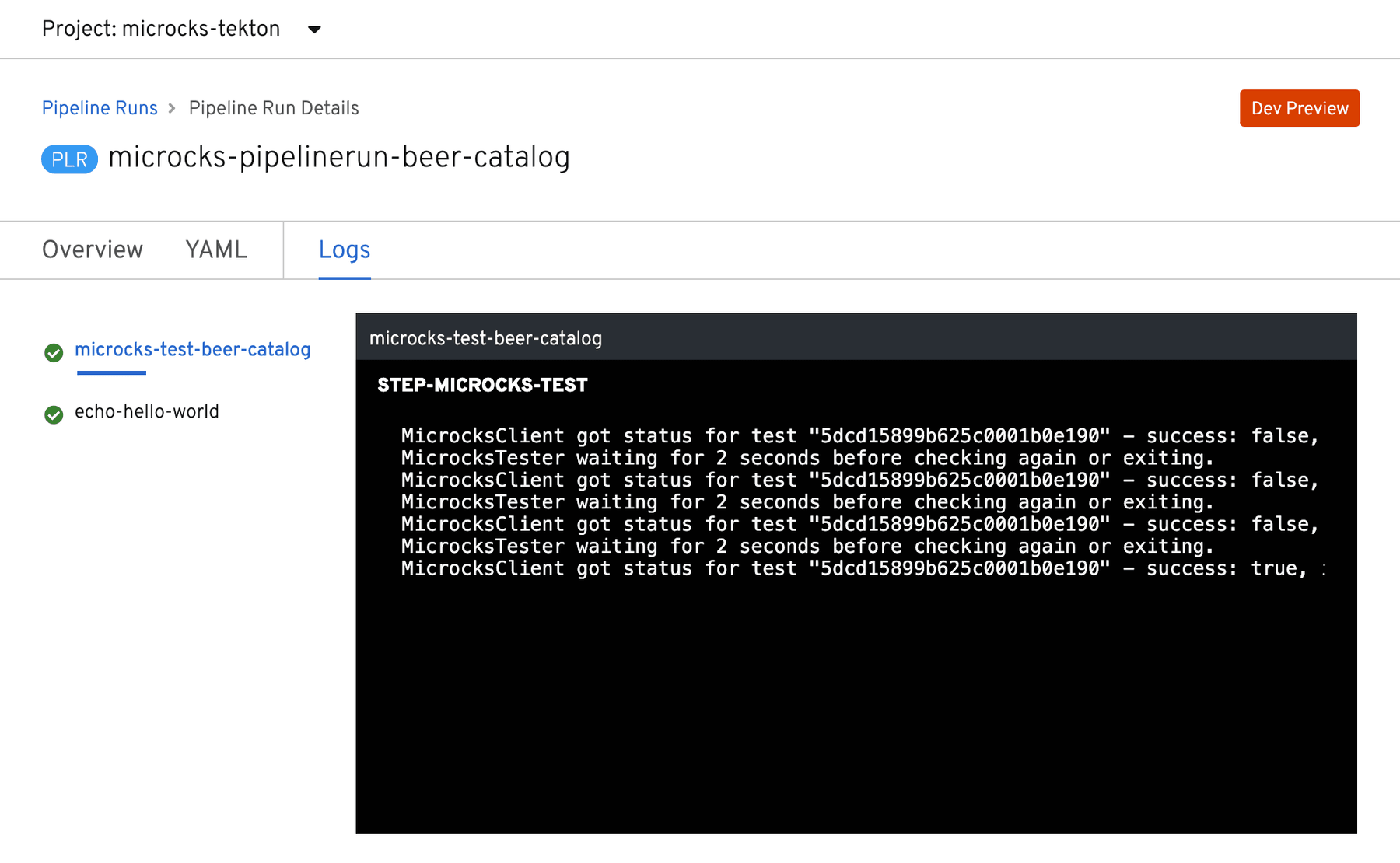
tkn can also be used later to retrieve the logs for the pipeline execution:
tkn pipeline logs user-registration-tekton-pipeline-run-64xf7 -f -n user-registration
[...]

[test-openapi-v1 : microcks-test] MicrocksClient got status for test "5f76e969dcba620f6d21008d" - success: false, inProgress: true
[test-openapi-v1 : microcks-test] MicrocksTester waiting for 2 seconds before checking again or exiting.
[test-openapi-v1 : microcks-test] MicrocksClient got status for test "5f76e969dcba620f6d21008d" - success: false, inProgress: true
[test-openapi-v1 : microcks-test] MicrocksTester waiting for 2 seconds before checking again or exiting.
[test-openapi-v1 : microcks-test] MicrocksClient got status for test "5f76e969dcba620f6d21008d" - success: true, inProgress: false
[test-openapi-v1 : microcks-test] Full TestResult details are available here: https://microcks.acme.com/#/tests/5f76e969dcba620f6d21008d

[...]
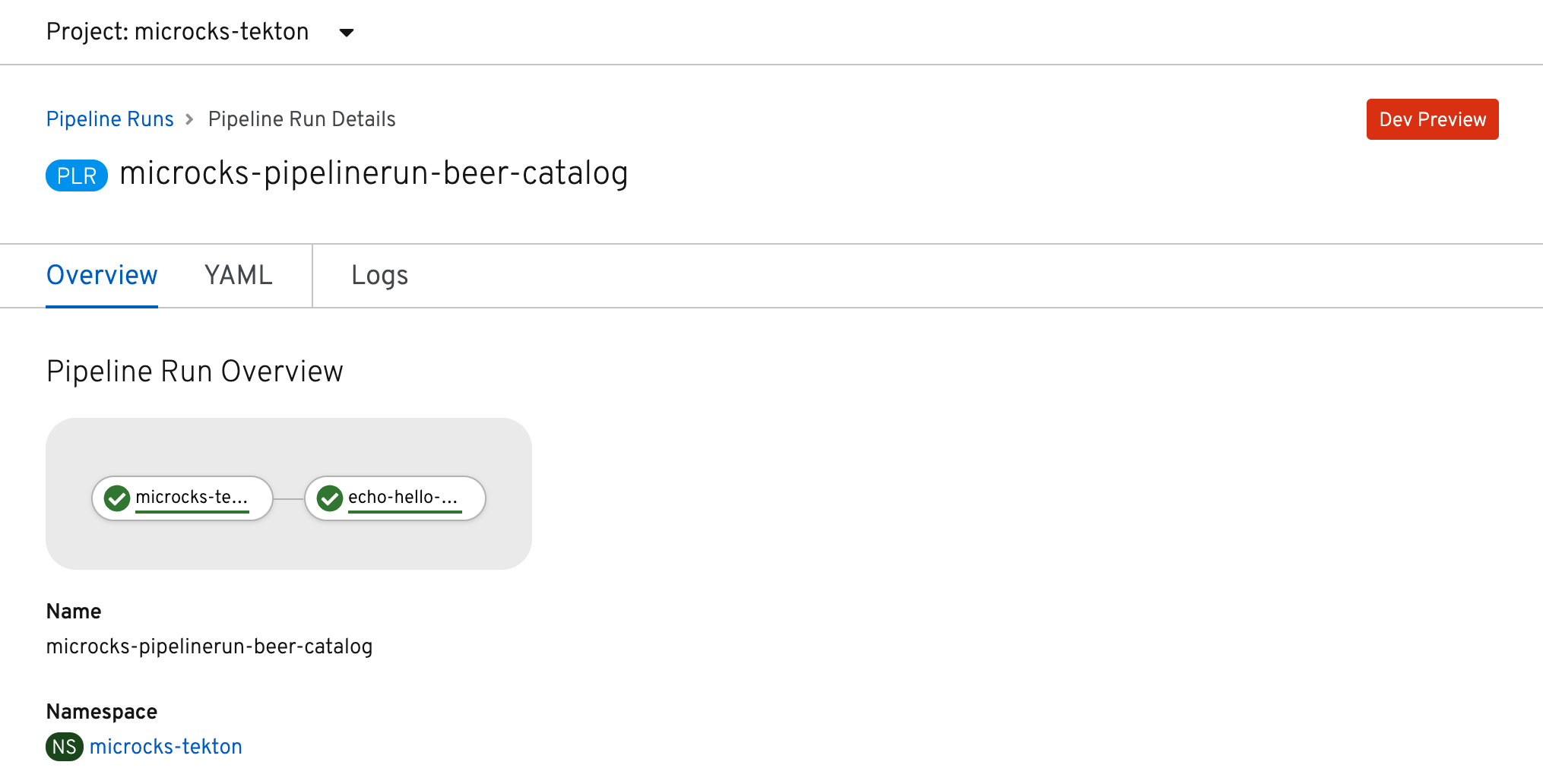
Using the OpenShift Pipelines implementation of Tekton, you may easily get all this information at hand within the Developer Console of your OpenShift cluster. Here's a capture of our pipeline execution:
With a view to accessing the logs of this execution:
Wrap-up
You have learned how to get and use the Microcks Tekton Tasks for your pipeline running on Kubernetes! 🎉
If you want to learn more about that, you can check our full Continuous Testing of ALL your APIs demonstration that has been built with the resource from the API Lifecycle repository.
The most up-to-date information and reference documentation can be found in the repository README.